Upload Images and Vote on People, Games and Dates in Discord
Two things slowed down setting up a poll in Subo. The image had to be a link to a picture already hosted somewhere, and the choices could only be plain text. This release removes both: you add your own picture from your device, and the options can be real members, roles, games and dates.
Upload your own images
Every image in Subo used to need a web address: a block’s picture, a poll’s image, the invitation image, the thank-you message image. Finding an image’s own address is not obvious, and a link to the page an image sits on (rather than to the image itself) showed nothing. Now every image field takes a file straight from your device. Pasting a link still works everywhere.
In the web app
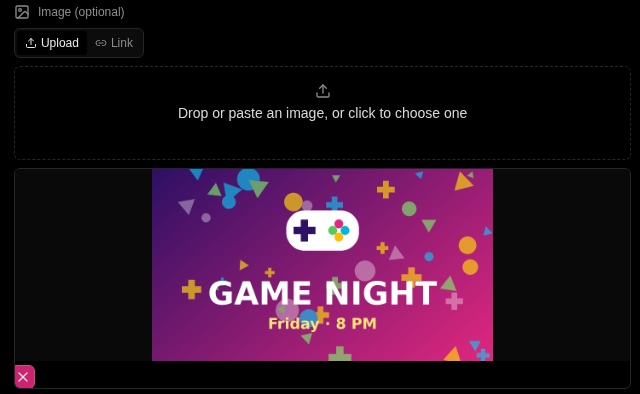
Every image field has two tabs, Upload and Link. On Upload, drag a file in, paste an image from your clipboard (a screenshot works), or click to choose one. The field shows a preview and a Remove image button. Link takes an image address, as before.

That covers every place an image goes:
- the Script Editor: a block’s image and thumbnail, and the closing message’s images;
- the Invite tab: the invitation image and thumbnail;
- Settings: the thank-you message and XP message images;
- achievement badges.
In Discord
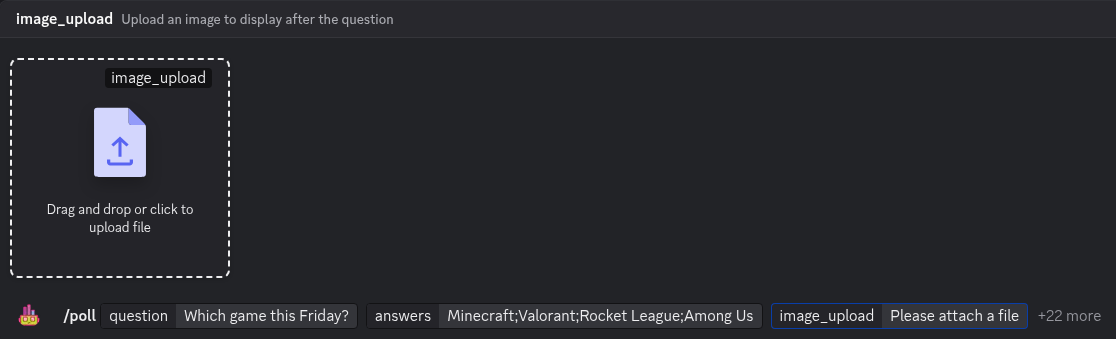
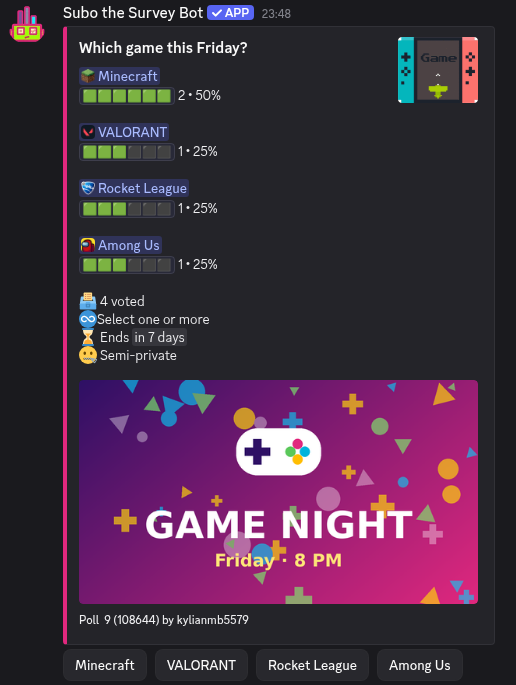
/poll has two new options, image_upload and thumbnail_upload (Premium, like thumbnail). Choosing one opens Discord’s file picker, and drag and drop works. The image and thumbnail options still take a link, and if you give both a link and a file for the same image, the file is used.
Every other time the bot asks you for an image (the invitation image and thumbnail in /edit, a block’s image when you build a Convo in Discord, the thank-you and XP message images in settings), you can attach the image to your reply instead of pasting a link. A short line under the question reminds you.
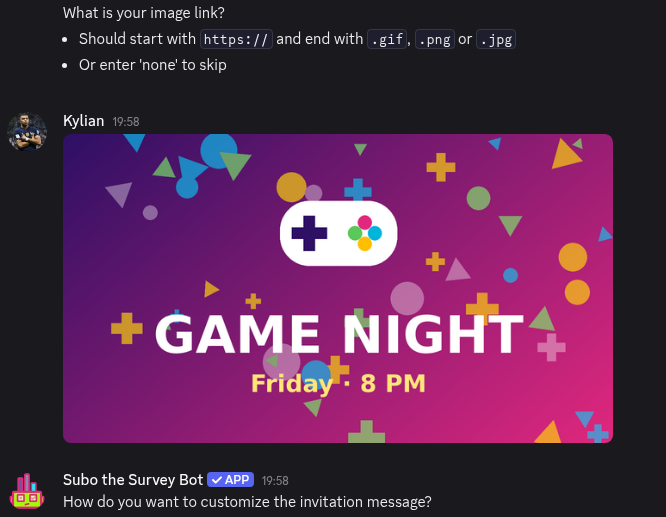
Pasting the link of an image already posted in Discord works too. Discord’s attachment links stop working after about a day, so Subo keeps its own copy.
Good to know
- PNG, JPG, GIF and WebP are accepted. Animated GIFs and WebP images stay animated.
- Uploaded images are served by Subo, so they keep working: nobody sees a broken picture because the original post was deleted.
- Photos are resized to a sensible maximum, and their hidden metadata, such as the GPS location a phone camera records, is removed on upload.
- Every plan can upload, and paid plans allow larger files. If a file is too big, the message gives your plan’s limit and names the plan that allows more.
- Uploading uses no credits.
- An image is deleted automatically about a week after no project uses it any more. A cloned project or template shares its original’s images, so deleting the original breaks nothing.
Vote on people, games and dates
Most of the polls a Discord server runs answer one of three questions. Who: who leads the raid on Saturday, who gets the community shout-out, who becomes the next moderator. What: which game you play on Friday. When: what time the event starts.
The @ picker in the Script Editor used to list your community’s roles. It now has four sections, in this order, and it works in each answer option as well as in the question text:
- Date & time: pick a date and a time (more on this below).
- Members: search your community’s members by name. Each one shows their avatar.
- Roles: your community’s roles.
- Games: search games by name. Each one shows its icon.
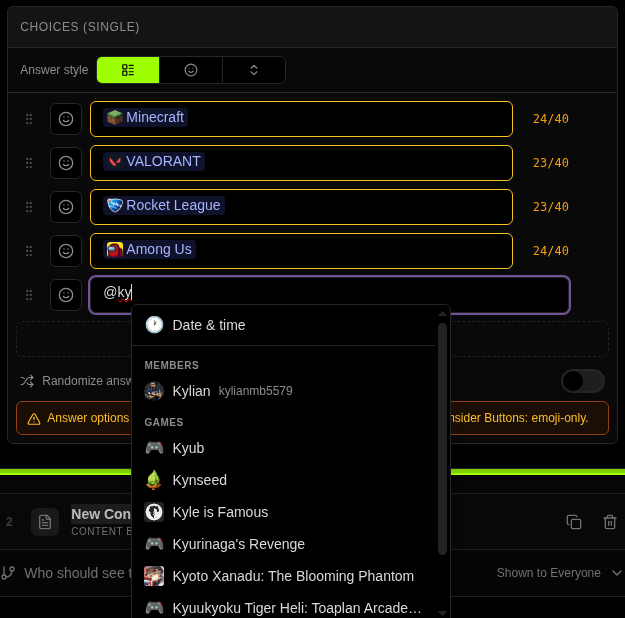
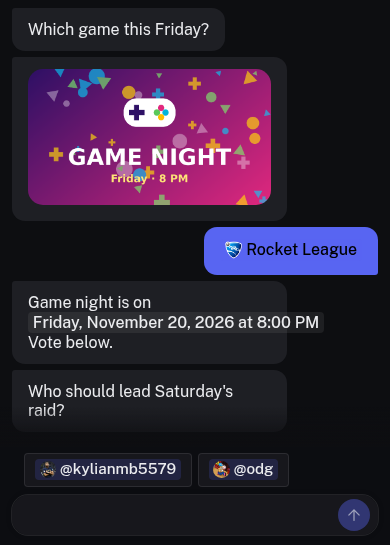
What you pick sits inside the option as a small chip: an avatar and a name, a role name, a game icon and a name, or the date. One Backspace deletes it.
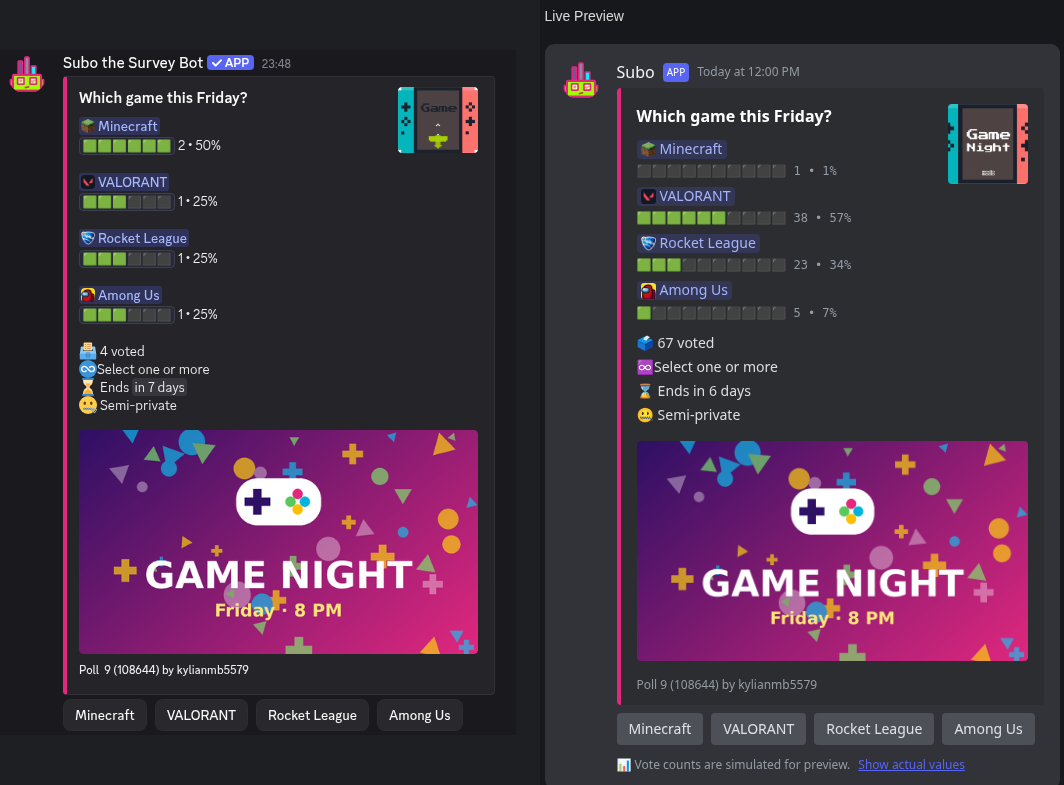
So a mod election is a poll with one option per candidate, and game night is a poll with one option per game. A “who should we thank this month?” vote can put members and a whole role side by side in the same list. All four work in polls and Convos alike, with every answer style: full-text buttons, emoji buttons and drop-down menus.
Dates that read right in every time zone
Pick Date & time, choose the day and the time in your own time zone, then choose how it is shown. Each display style is listed as a live preview of your date: “November 20, 2026 at 8:00 PM”, “11/20/26, 8:00 PM”, “Friday, November 20, 2026 at 8:00 PM”, or a relative “in 9 days”. Click Insert.
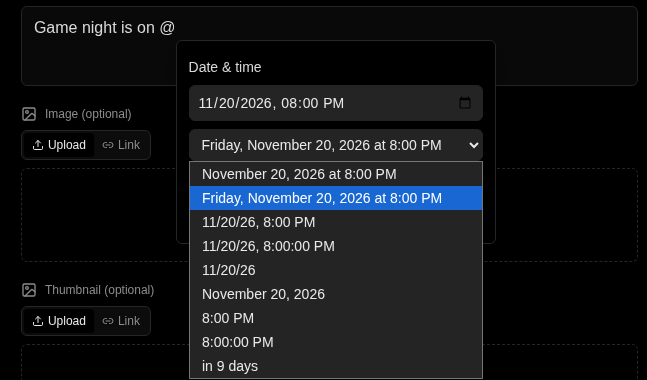
Every member then sees that moment in their own language, date format and time zone. A member in Paris and a member in Los Angeles each read the event time on their local clock, in Discord messages and in the Convo on the web, so nobody does the time-zone math in the chat afterward.
One limit comes from Discord itself. A button or a drop-down menu shows the same text to everyone, so a time on a button reads in UTC, for example “2026-11-07 06:00 UTC”. The question or poll message above the buttons still shows each member’s local time. If you are asking “Which evening works?”, put the full date in the question and keep the options short.
What your members see
- Members appear by their name in your community, with their avatar in the Convo on the web.
- Roles appear by name, such as “@Moderators”. In a direct message, where Discord would show “@unknown-role”, Subo shows the role’s name.
- Games appear by name, with the game’s icon on the web.
- Dates appear in each member’s local time, as described above.
This holds wherever the poll or Convo is answered: in a channel of your server, in a direct message, or on the web.
To notify people, mention them in the Invite tab’s call-to-action message, the message posted with the invitation. The same @ picker works there, and a member or role mentioned in it is notified when the invitation is posted, as anywhere else in Discord.
Polls made with /poll read correctly too
If you create polls in Discord with /poll, you could already type @ in the options, and Discord showed the result nicely. Everywhere else in Subo, those options showed as codes like <@981582843073425419>. They now read correctly in the web app: in the Script Editor, the Invite tab’s live preview, the Analysis tab’s charts and tables, the Responses tab and the response details panel.
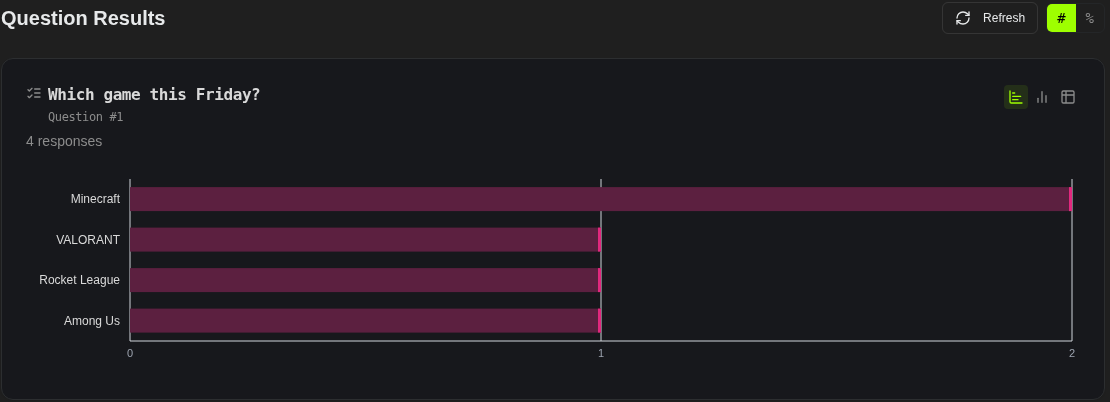
Exports follow the same rule. The Full Report spreadsheet, the Google Sheets export and the Responses CSV show names instead of codes. Dates there are written as a fixed UTC date and time, such as “2026-11-04 23:00 UTC”, because a file has no reader’s clock to adapt to.
Two changes to /poll
Discord allows 25 options on a command, and /poll already used all of them, so two options made room for the uploads:
scoringis gone. Scoring now switches on by itself as soon as you setcorrectorscores.info_displayis gone from/poll. Poll details show in the invitation by default. To tuck them behind an ℹ️ button instead, use Edit after creating the poll, or the web app.
The poll guide lists all 23 options as they are now.
For developers
The Public API has a new endpoint, POST /v1/communities/{communityId}/images. Send a file as multipart/form-data, or a link as JSON ({"url": "https://..."}) for Subo to download and keep, and you get back a Subo URL ready for any image field, such as a block’s image_url. Image fields still take any https image link, so upload when you have a file, or a link that won’t last.
When an answer or an option holds a member, a role, a game or a date, responses now carry a display field with the readable text next to the original value, analysis entries carry display, and each analysis block carries prompt_display for its question. All three are null when there is nothing to make readable, so existing integrations see no change.
AI assistants connected through the Subo MCP server get the new fields and a new tool, upload_image, which takes an image link and returns the hosted URL.
Also in this release
- When the bot asks for the thank-you or XP message image, it now checks that the answer is a real image link, and accepts “none” to leave the image empty.
- In the web app’s community list, communities on a paid plan show a small badge with the plan’s name.
- In Discord,
/resultson a poll that gives XP showed the Give XP step as an empty question (“0 people answered”). It now shows one line, such as “12 sessions triggered this action”, the same as the Analysis tab. - The [Completion Count] variable in closing messages showed 0 in Discord. It now shows the real number of completions, including the one that just happened.
Try it
Both work on every plan, Free included. Open a poll in the web app, drop in a picture, then type @ in an answer option and pick a game for Friday. For more on running votes in your server, see how to make a poll or a vote on Discord and the engagement use cases.
Subo the Survey Bot runs polls, quizzes and conversational surveys (Convos) inside Discord and on the web, with XP, roles and rewards for the members who answer.
Frequently asked questions
How do I add an image to a Discord poll?
With /poll in Discord, use the image_upload option: Discord opens its file picker, and drag and drop works. The image option still takes a link. In the web app, open the image field, stay on the Upload tab and drop, paste or choose a file. A screenshot pasted from your clipboard works too.
What image files can I upload, and how big?
PNG, JPG, GIF and WebP. Animated GIFs and animated WebP images stay animated. Every plan can upload, and paid plans allow larger files. If a file is too big, the message tells you your plan's limit and which plan allows more.
How do I make a Discord poll to pick a game for game night?
In the Script Editor, type @ in an answer option and choose Games. Search for a game by name and pick it: the option shows the game's name, and its icon on the web. Add one option per game and launch the poll as usual.
Can members vote for another member in a Subo poll?
Yes. Type @ in an answer option and choose Members to search your community's members by name. Each option shows the member's name in your community, with their avatar in a Convo on the web. It works for elections, shout-outs, MVP votes and anything else where the answer is a person.
Does a date in a poll show in each member's time zone?
Yes. A date added with Date & time shows in each member's own language, date format and time zone, in Discord messages and in the Convo on the web. The one exception is a Discord button or drop-down menu, which shows the same text to everyone: there the time reads in UTC, while the question above it shows the local time.
Does this cost extra?
No. Both work on every plan, Free included, and uploading an image uses no credits. Thumbnails are a Premium option, as before.